


Ninja Transfers
4.648.00 Reviews
App Specs
- Version
- 1.15.0
- Updated On
- License
- Free
- Downloads
- 10,000+
- Developer
- Ninja Transfers
- Categories
- Shopping
- Platform
- Android
Screenshots
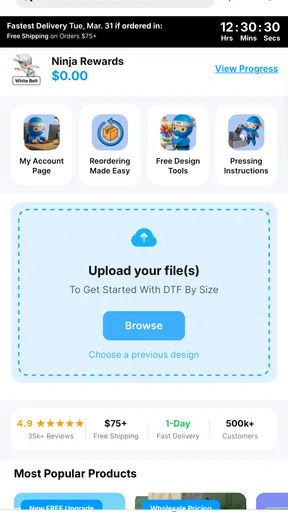
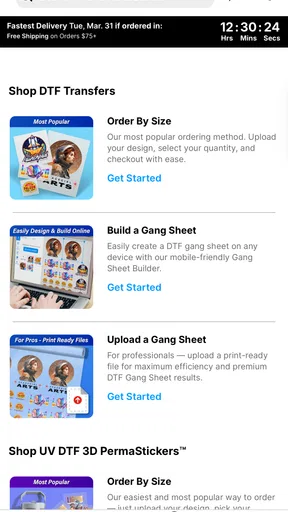
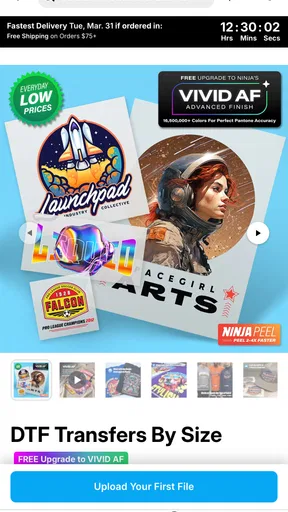
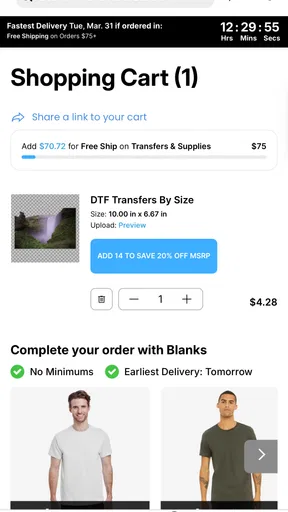
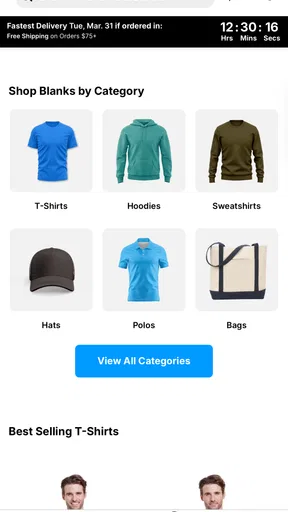
 Analysis by AppCompare
I approached Ninja Transfers as a practical shopping app rather than something I would open for entertainment. Its purpose is straightforward: help people browse and buy DTF prints and blanks from Ninja Transfers, with an emphasis on colorful, durable-looking apparel decoration supplies and orders without a minimum quantity. That focus makes the app more interesting for small creators than a broad marketplace, but it also means its lasting value depends on how often I actually need transfer materials.
My first impression was that this is the kind of app that can solve a very specific problem quickly. If I am preparing a few shirts for a family event, testing a design for a small clothing project, or restocking blanks for regular work, a dedicated shopping experience is more useful than searching through unrelated craft listings. The app is free, is aimed at Everyone, and comes from Ninja Transfers, so the main question is not whether it is expensive to try. The more important question is whether it becomes part of a repeatable ordering routine after the first browse.
From an easy first order to a useful long-term routine
I look at a first order as a chance to learn, not just a way to fill a cart. In this section, I’ll focus on how small trials and a simple project record can make repeat shopping less guesswork-heavy, especially when designs or garment choices change. That practical routine also raises a different question: how comfortable is the app to use for people with different reading, movement, or sensory needs?
The first week: why the focused catalog feels appealing
The strongest early appeal is concentration. Instead of treating transfer printing as one small department inside a giant shopping platform, the app keeps attention on products connected to that workflow. That matters when I already know what I want: a particular type of print, a set of blanks, or supplies for a design that is ready to produce. A focused catalog can reduce the temptation to compare dozens of unrelated sellers and makes the shopping task feel more deliberate.
The no-minimum approach is especially relevant for first-time buyers. I do not always want to commit to a large batch before checking how a design works on a real garment. Being able to think in terms of a small test order changes the risk calculation for hobbyists and independent sellers. I can validate an artwork choice, check how a blank fits into my process, and decide whether the result deserves a larger repeat order.
That does not mean every first visit will be effortless. DTF supplies are not casual impulse purchases in the same way as household goods. I still need to think about garment color, size, placement, artwork dimensions, and the intended use. A shopping app can make selection easier, but it cannot replace the preparation that happens before checkout. I found the best experience came from opening the app with a short list rather than browsing without a plan.
For a first order, I would prepare the design name, the number of garments, preferred blank styles, and any color combinations before shopping. This simple step prevents a common mistake: choosing a transfer because it looks attractive on screen, then discovering that it does not suit the garment I had in mind. The app is most useful when it supports a clear production decision, not when I expect it to invent the project for me.
Worth Reading Before You Choose

EA SPORTS FC Mobile 26 Is a Bigger Football Game, but It Takes Time

Flipboard Shows What News Apps Must Do Beyond the Feed

Switching to Android Auto Means Rethinking Your Driving Routine

Google Calendar Makes a Crowded Week Easier to Manage

Ludo King Makes the Most of the Minutes Between Plans

Baby Panda World Brings Quick Play to Modern Phones, but Its Game Library Feels Busy
Who benefits most from the dedicated shopping approach
This app makes the most sense for small apparel businesses, event organizers, makers, and people who regularly create customized clothing. It is also a reasonable starting point for someone who wants to experiment without immediately buying a large inventory. The combination of prints and blanks gives the shopping trip a practical relationship between the decoration and the item receiving it.
For example, imagine I am preparing shirts for a school fundraiser. I might begin with a small run, order the artwork and suitable blanks, and use the first batch to check whether the design is readable from a distance. If the response is good, the same shopping habit can support a later restock. That is more useful than buying a large quantity based only on a digital preview.
On the other hand, I would not choose this as my main shopping tool if I only need a single finished shirt or if I prefer a service that handles design, printing, garment preparation, and delivery as one complete package. This app is connected to the making process. It is better suited to someone who wants to choose materials and manage the result than to someone looking for a fully hands-off custom apparel order.
What changes after the novelty wears off
The first-week excitement comes from discovering a specialized source and seeing how quickly a small idea can become an order. The month-to-month test is different. Once I have already found a suitable transfer style and a reliable blank, I need a reason to return. In my view, that reason is not endless browsing. It is repeatability.
A useful recurring workflow would be to keep a simple record outside the app of the design ordered, the garment type, the intended quantity, and the result after application. That record turns the app from a catalog into part of a production system. When I need the same project again, I can shop with more confidence instead of relying on memory.
This is one of the less obvious strengths of a focused app: it can encourage a clear separation between creative decisions and purchasing decisions. I can develop artwork elsewhere, use the shopping app to source the physical components, and then evaluate the outcome afterward. That division reduces rushed orders, especially when several designs are being prepared at once.
The app’s current version is 1.15.0, and I see that as a reminder to keep expectations practical. Version numbers alone do not guarantee that every workflow will suit every buyer. I would judge its long-term usefulness by how consistently it helps me repeat an order, locate the right kind of product, and avoid buying materials that do not fit the next project.
Month-to-month value for different kinds of users
For a small seller, recurring value can come from restocking rather than discovery. If I have a few designs that sell repeatedly, a dedicated source may save time compared with rebuilding a search from scratch on a general marketplace. The no-minimum model can also be helpful when demand is uneven. I do not need to treat every design as a large inventory commitment.
For a hobbyist, the value is more conditional. If I create shirts only a few times a year, the app may remain useful as an occasional purchasing tool, but it may not deserve a prominent place on my home screen. I would keep it available for projects rather than force it into a weekly routine that my actual needs do not support.
For an event planner, the key benefit is flexibility during changes. Guest counts, volunteer lists, and garment sizes can shift. A smaller, more targeted order can be easier to manage than a large speculative purchase. Still, I would place the order early enough to account for my own preparation and quality checks. A specialized shopping app does not remove the need for schedule discipline.
For a professional decorator with established suppliers, the decision is more demanding. A new app must offer a clear advantage in selection, ordering convenience, or small-batch flexibility. If an existing supplier already fits the decorator’s press settings, garment preferences, and reorder process, switching purely because the catalog looks appealing may create unnecessary friction. In that situation, Ninja Transfers is worth testing alongside the current supplier, not automatically replacing it.
The maintenance burden is mostly organizational
The app itself is not the only thing I have to maintain. The real upkeep sits around the purchase: keeping artwork files organized, tracking which blank works with which design, recording successful settings, and checking remaining stock. This is important because transfer printing can become confusing when several projects share similar colors or sizes.
I would create a small naming system for designs before ordering. A name that includes the project, garment color, and intended placement is more useful than a vague label such as “new logo.” It helps me match a future order to the correct artwork and prevents duplicate experiments. This is a simple habit, but it has more long-term impact than repeatedly browsing for inspiration.
Another practical habit is to separate sample orders from production orders in my notes. A sample is meant to answer questions about appearance and process; a production order is meant to fulfill demand. Mixing those purposes can make costs and stock levels difficult to understand. The app supports the shopping side, but I still need to decide whether each purchase is testing, replenishment, or a one-time event.
I would also review my cart slowly before submitting it. The most avoidable friction in this category comes from mismatched quantities, unsuitable blank colors, or forgetting that one design may be intended for several garment sizes. A focused app can make the product search clearer, but careful checking remains my responsibility.
Where fatigue can appear over repeated use
The first source of fatigue is decision overload within a narrow category. A dedicated catalog is helpful when I know the difference between the options I need, but it can feel less friendly when I am still learning the terminology or trying to compare similar products. The app is not a substitute for understanding the basics of my own workflow.
The second source is repetition. Once I have settled on a dependable combination of transfer and blank, I may have little reason to explore the rest of the catalog. That is not necessarily a flaw; it simply means the app’s value becomes functional rather than exciting. I would rather have a reliable reorder habit than be pushed into constant discovery, but users expecting a continually fresh shopping experience may find the routine less engaging.
A third source of fatigue is the gap between digital selection and physical results. A screen can show artwork clearly, yet the final impression depends on the garment, placement, application process, and the design itself. If a buyer expects the app to guarantee a perfect finished product without careful preparation, disappointment is more likely. My advice is to treat the first purchase as a controlled trial, especially for a new design or garment type.
There is also a trade-off between specialized convenience and comparison breadth. A general marketplace may offer more unrelated sellers and a wider range of products, while a dedicated app can keep the shopping experience closer to one particular craft. I prefer the focused approach when I value a coherent workflow. I would use a broader marketplace when I need to compare many brands, combine apparel supplies with unrelated purchases, or source products outside the transfer-printing process.
Practical ways to get more from each visit
I would begin each session with the finished garment in mind, not the transfer alone. Ask what color, fabric, size range, and placement the design requires. This prevents the common habit of choosing a visually attractive print first and trying to force the rest of the project around it.
I would also use small orders strategically. A small trial is not merely a way to spend less; it produces information. It can reveal whether the artwork needs stronger contrast, whether the garment choice suits the design, and whether the process is repeatable. Once those questions are answered, later orders can be more confident and less wasteful.
For recurring designs, I would keep a reorder checklist. It should include the artwork version, garment type, size breakdown, preferred colors, and the reason the design is being ordered. This makes the app more valuable over time because each visit starts with accumulated knowledge rather than a blank search.
Finally, I would avoid judging the service only by the speed of the first browse. The lasting test is whether it helps me make fewer wrong purchases. A slightly slower, more careful selection that matches the project is better than a quick order that creates unusable stock.
How it compares with ordinary shopping alternatives
Compared with a broad online marketplace, Ninja Transfers feels more purpose-built for people who already understand the transfer-printing workflow. The advantage is relevance: I am not filtering through general craft goods, unrelated apparel, and multiple product categories before reaching the materials I need. The disadvantage is that I may have fewer reasons to open it when my project falls outside that specialty.
Compared with buying finished custom clothing, this approach gives me more control and more responsibility. I can choose the blank and manage the design application, which is useful for creators who want to develop a repeatable product. The trade-off is that I must handle the preparation and quality checks myself. Someone who wants a ready-to-wear result may prefer a finished-garment service instead.
Compared with a local craft store, the app can be more convenient when I already know the exact type of supply I am seeking. A physical store still has an advantage for shoppers who want to inspect garments directly, compare fabric feel, or make a same-day decision. I would use both depending on the project: the app for planned replenishment and a local option when tactile inspection matters more than catalog convenience.
Trust, audience, and everyday usability
The app has an average rating of 4.6 from around 200 ratings, with roughly 50 written reviews, and it has passed the 10K-plus install mark. Those figures suggest that it has found a real audience, while still leaving room for me to form my own opinion based on my specific workflow. I would not treat popularity as proof that every creator will have the same experience, but it is encouraging for an app serving a focused niche.
Because it is free and rated for Everyone, trying it does not require a purchase of the app itself. The meaningful commitment begins when I select physical products, so I would still approach the first order carefully. Free access makes experimentation easier, but it does not make an unsuitable blank or untested design a good purchase.
The developer, Ninja Transfers, is closely tied to the products the app presents, which gives the experience a clear identity. That can be useful when I want a direct, focused route to this particular supplier. It also means the app is not designed to be a neutral comparison tool across every possible source. Buyers who prioritize broad supplier comparison should keep another shopping method available.
My long-term verdict
After the novelty fades, I think Ninja Transfers earns lasting space for users who repeatedly create decorated apparel and want a focused way to source prints and blanks. Its strongest long-term quality is not entertainment or constant discovery. It is the possibility of building a simple, repeatable purchasing habit around small tests, known designs, and measured restocking.
I would recommend it to a small clothing seller, a maker preparing occasional batches, or anyone who wants to experiment without starting with a large minimum order. I would also recommend keeping a basic project log, because the app becomes much more useful when I remember what worked and why. That extra organization turns browsing into a reliable part of production.
I would skip it as a primary tool if I rarely make apparel, need a finished custom garment with no hands-on work, or depend on comparing many unrelated suppliers in one place. In those cases, a general marketplace, local store, or full-service custom-printing option may fit better.
My final view is positive but specific: this is a practical shopping app, not a complete apparel business system. It can shorten the path from design idea to materials, especially when small quantities and repeat orders matter. Its lasting value comes from disciplined use—testing before scaling, recording successful combinations, and returning when there is a real project to support. Used that way, it feels less like a novelty download and more like a useful tool I would keep for the next order.
Pros
- Quickly transfers contacts
- photos
- videos
- and files between devices.
- Useful when switching phones without relying on cloud backups.
- Simple interface makes the transfer process easy for most users.
- Can reduce setup time compared with moving files manually.
- Helpful for users with limited cloud storage space.
Cons
- Transfer speed may vary depending on Wi‑Fi quality and file size.
- Both devices usually need to remain nearby during the transfer.
- Large media libraries can take considerable time to move.
- Some device types or file formats may have limited support.
- The app may request broad access to files and personal data.
FAQs for Ninja Transfers
What is Ninja Transfers, and what can I use it for?
Ninja Transfers is a travel transportation app designed to help users arrange airport transfers and private rides in advance. Depending on the destination and available service, you can usually select a pickup location, arrival or departure details, passenger information, and vehicle preferences. It is especially useful for travelers who want a pre-booked ride instead of searching for transportation after landing.
How do I book a transfer with Ninja Transfers?
To make a booking, enter your pickup and drop-off locations, travel date, time, number of passengers, and any required flight information. The app then displays the available transfer options and pricing for your route. Before confirming, carefully review the passenger details, meeting instructions, luggage information, and total cost, since incorrect booking data may affect the service or require additional changes.
Can I use Ninja Transfers for airport pickups and flight delays?
Ninja Transfers is primarily intended for prearranged airport transportation, including pickups from airports and rides to airports. When booking an airport pickup, providing the correct flight number is important because it may help the provider monitor delays and adjust the meeting time. However, coverage and delay-handling policies can vary by location, so check the booking conditions before relying on the service.
Can I cancel or change a Ninja Transfers reservation?
Cancellation and modification options depend on the specific booking, destination, transfer provider, and how close the request is to the scheduled pickup time. Some reservations may allow free changes or refunds within a stated period, while others may be non-refundable. Open your booking details and read the applicable terms before confirming, especially if your travel plans may change.
Is Ninja Transfers available in every country, and what should I check before downloading it?
Ninja Transfers availability is not necessarily worldwide, and the vehicles, prices, pickup procedures, and payment methods may differ between destinations. Before downloading or booking, confirm that your airport and destination are supported, review the estimated fare, check luggage and passenger limits, and make sure your device meets the app’s requirements. Also verify the latest user reviews and permissions in the official app store.


